
Phonological Processes
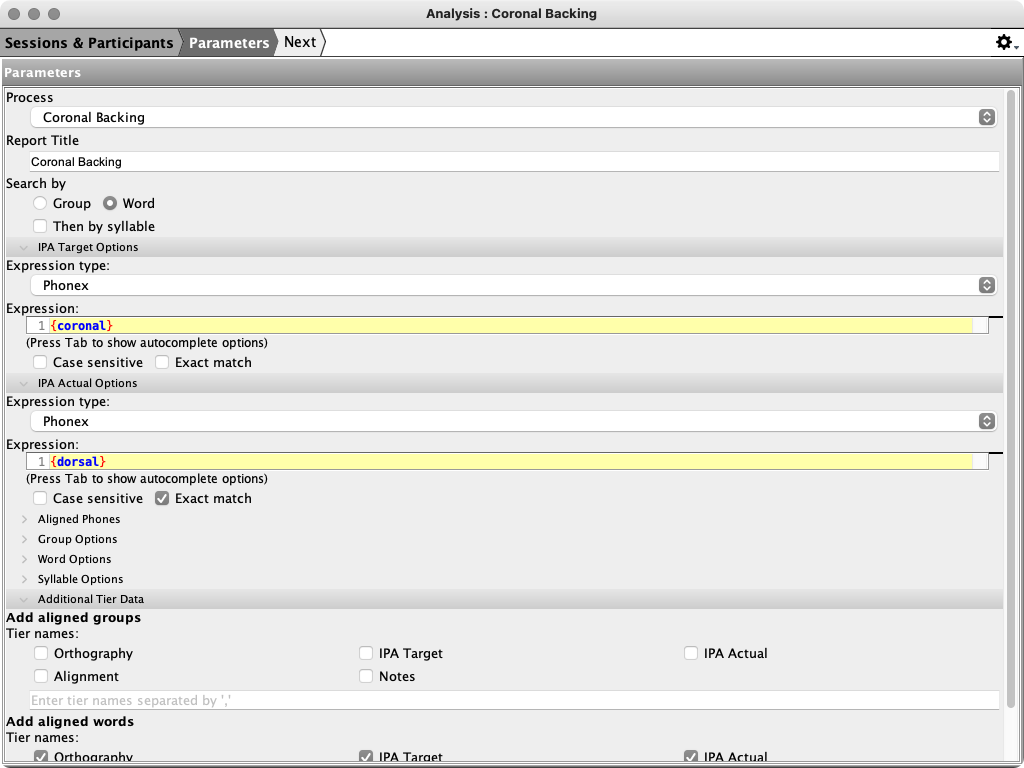
The Phonological Processes analyses find target phones that match one Phonex expression and count how many of their aligned actual phones match a second expression. Phon includes ten named presets and a configurable Custom Process.
Open a preset from Stock Analyses > Phonological Processes, or open Custom Process and select or edit a process in its parameter form.
Process presets
Each preset uses an exact Phonex match for the aligned IPA Actual phone. The expressions are:
| Process | IPA Target | IPA Actual |
|---|---|---|
| Coronal Backing | {coronal} | {dorsal} |
| Deaffrication | {affricate} | {-affricate} |
| Deletion | \w | ^$ |
| Devoicing | {voiced} | {voiceless} |
| Liquid Gliding & Vocalization | {liquid} | [\g\v] |
| Glottalization | {-glottal} | {glottal} |
| Lateralization | {-lateral} | {lateral} |
| Fricative Stopping | {fricative} | {stop} |
| Velar Fronting | {velar} | {coronal} |
| Voicing | {voiceless} | {voiced} |
Parameters
| Parameter | Default | Effect |
|---|---|---|
| Process | The opened preset; Custom for Custom Process | Selects a shipped target/actual matcher pair. Choosing another preset also updates the report title. |
| Report Title | Process name | Sets the title of the generated report. |
| Combine results for all selected participants | Off | Combines the selected participants before calculating summaries and aggregate tables. |
| IPA Target Matcher | Preset expression; empty for Custom | Defines the potential target phones counted in # Targets. A value is required. |
| IPA Actual Matcher | Preset expression; empty for Custom | Defines which aligned actual phones count as realizations of the process. Presets use an exact, case-insensitive match. |
| Include aligned phones | On | Adds the corresponding actual phone and phone alignment to each target result so the process can be evaluated. |
| Search by | Word | Searches the target matcher within aligned IPA words. |
Standard aligned-phone, word, syllable, tier, additional-tier-data, and participant filters can narrow or extend the results. See Aligned Phones and Common Query Parameters.
How process percentages are calculated
# Targets is the number of phones returned by the IPA Target matcher. Count is the subset whose aligned IPA Actual value matches the process's actual expression.
% = Count / # Targets × 100.
The denominator therefore includes all selected target opportunities, not just successful process realizations. For Deletion, an empty aligned actual value counts as the process realization.
Report output
| Section or table | Contents |
|---|---|
| Parameters and Readme | The selected process settings and a short description of the preset. |
| Summary | An all-participants table with # Targets, Count, and % for each speaker, plus one table per participant with these measures by session, role, and age. |
| Aggregate | A participant table reserved for aggregated target/actual process patterns. Some current preset reports contain an empty Aggregate table. |
| Listing | Every process realization with source-record information, IPA Target, IPA Actual, and phone alignment. |