Import and Export CSV Files
The Tools menu in a Project Manager provides Import from CSV... and Export to CSV.... Both wizards preview or validate the column structure before running work in the background.
Import CSV files
- On Settings, add individual files or recursively add CSV files from a directory. All files must have the same number of columns; Phon warns if their headers differ. Configure character encoding, one or more separators, string delimiter, first-row header handling, and space trimming. Use the preview to verify how the first selected file is parsed.
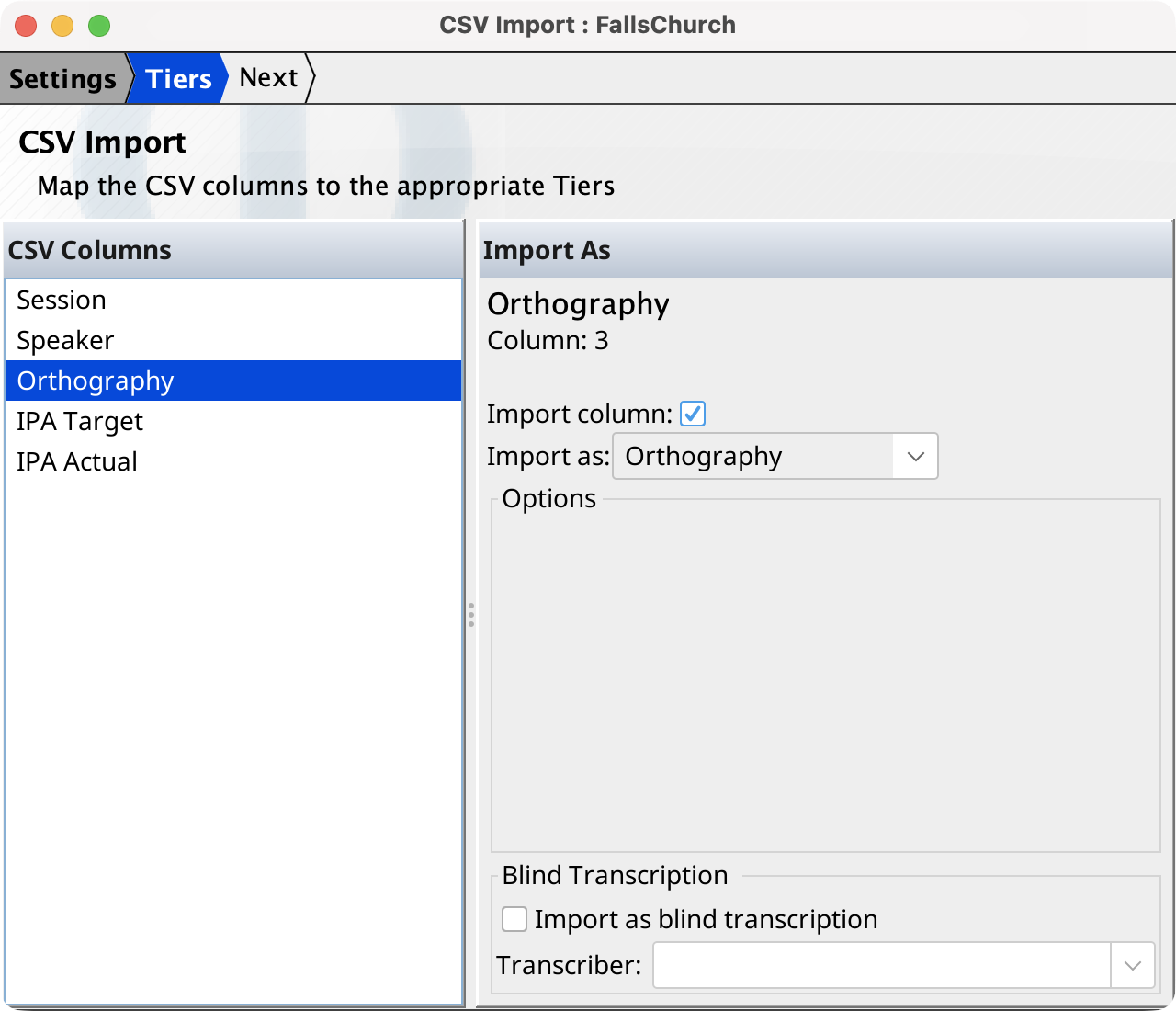
- On Tiers, select each CSV column, enable or disable its import, and choose its destination. Destinations include corpus/session data, participant and record data, media segments, Orthography, IPA tiers, and user tiers. Date, IPA syllabifier, and user-tier destinations expose additional options. Orthography, IPA Target, IPA Actual, and user-tier columns can be assigned to a blind transcriber.
- Resolve any reported mapping conflicts, then continue to Import files. The progress table reports each file and warning. Imported records are written as sessions in the current project.
Note:
A Session Path column cannot be combined with separate Corpus Name or Session Name
destinations. Similarly, a complete Segment column cannot be combined with segment
start/end/duration columns. When building a segment from components, provide start
and exactly one of end or duration.
Export CSV files
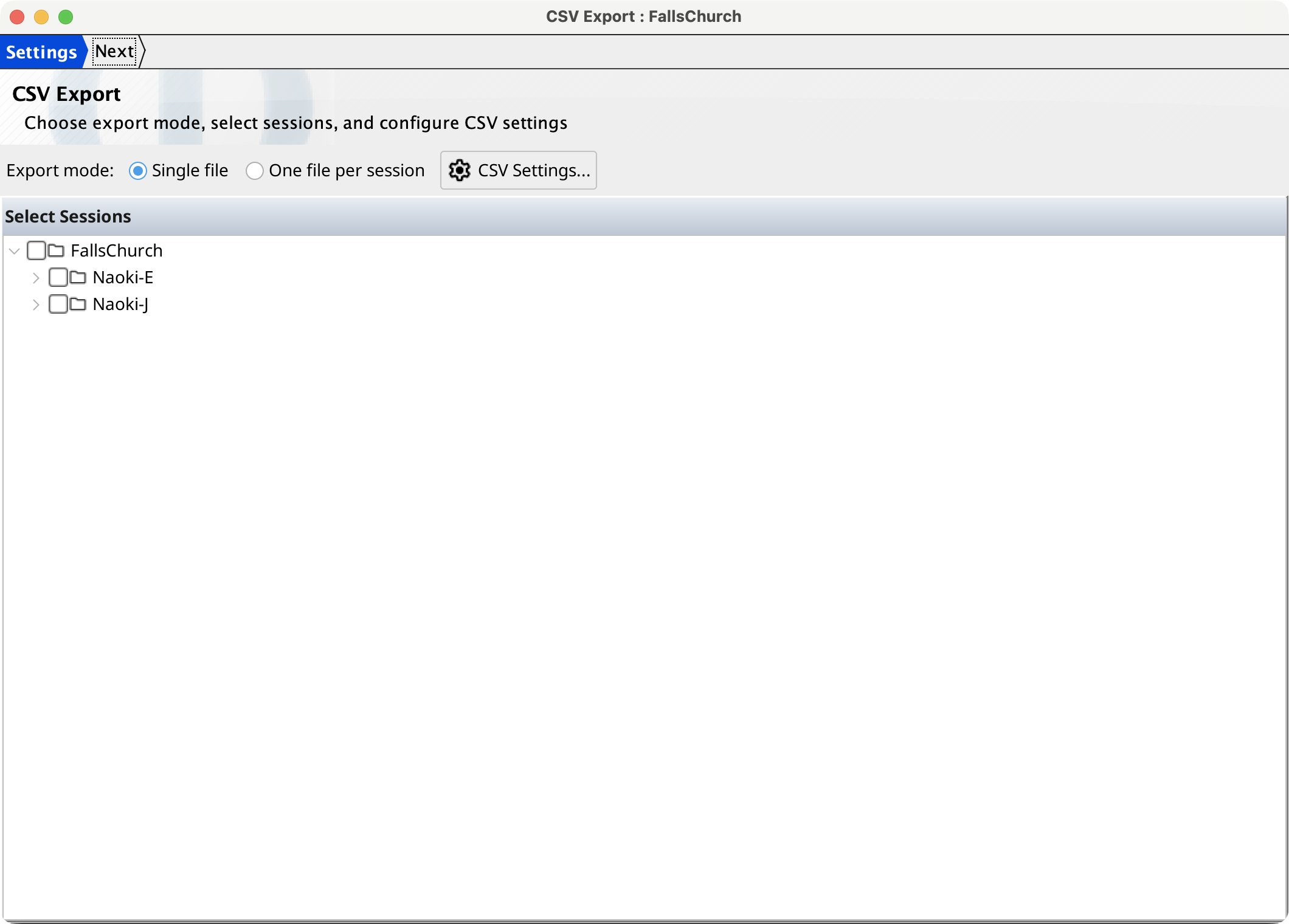
- On Settings, choose a single combined file or one file per session and select the sessions. CSV Settings... configures encoding, separator, string delimiter, and header output.
- On Columns, use Add to choose corpus, session, participant, record, segment, system-tier, or user-tier values. Rename, drag, or use the arrow buttons to order the output columns. A selected column's options configure date/age formats, IPA syllabification or diacritics, segment formatting, and inclusion of blind transcriptions where supported. The default columns are Orthography, IPA Target, IPA Actual, Segment Start, and Segment End.
- Select an output file for combined mode or a folder for per-session mode. The Export files page reports progress and warnings.