
Session Media
A session can reference one audio or video file. The reference appears in the Media header of the Transcript and is used by playback, segmentation, and acoustic-analysis tools.
Assign or Locate Media
Select , or select the Media header label and choose Browse.... Use to clear the reference without deleting the media file.
An absolute reference is used directly. For a relative reference, Phon searches:
- the session's corpus folder;
- the project's configured media folders, in order;
- each global media folder's corpus-named subfolder, then the global media folder itself.
If the reference has no filename extension, Phon also tries the supported media extensions. Edit project media folders in a Project Manager window and global folders in .
Play Segments
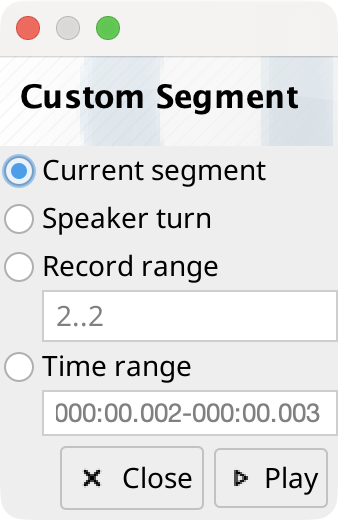
The Transcript's Play segment button plays or stops the current record segment. Its menu can play the current record, a custom time range, the current speaker turn, or the surrounding adjacency sequence.
The default shortcuts are Menu+Y for the current record, Menu+L for the speaker turn, Menu+Shift+Y for the adjacency sequence, and Menu+Alt+Y for a custom range. Playback requires available session audio or an open Media Player view.
Other Media Commands
The Media menu controls volume and playback rate. It can also generate or re-encode a WAV session-audio file and show technical media and audio information in a buffer window.
The menu's export commands save the current record, custom range, speaker turn, or adjacency sequence as an audio file. Speech Analysis and Timeline provide export commands for their selected ranges.