
Export a Session as HTML or a Spreadsheet
In the Session Editor, select . The export wizard first builds a preview; its buffer controls can then save the HTML or export the same session data to a spreadsheet.
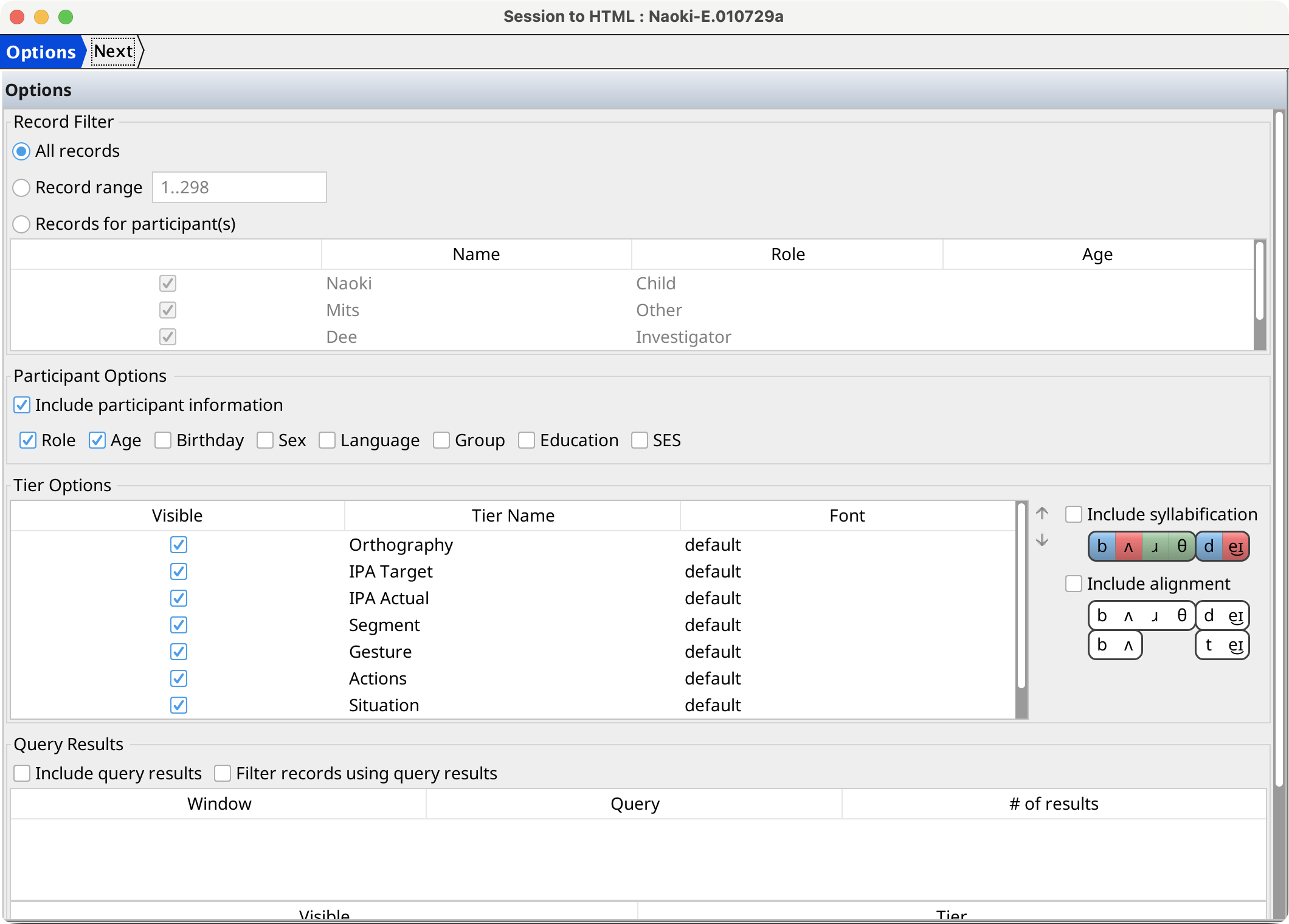
Choose export options
On the Options page, configure:
- the record filter that determines which records are exported;
- whether participant information is included and which fields appear: role, age, birthday, sex, language, group, education, and SES;
- which tiers are visible and their order, using the arrow buttons to reorder them;
- whether IPA syllabification and phone alignment are displayed;
- whether values from a selected open query result set are included, and whether the result set also filters the records.
The wizard saves these choices as the defaults for later session exports.
Preview and save
Select Next to generate the HTML in the background. The Preview page displays the result in a named output buffer. Use the buffer toolbar or context menu to save the HTML page or export its tables to a spreadsheet.