
Record List View
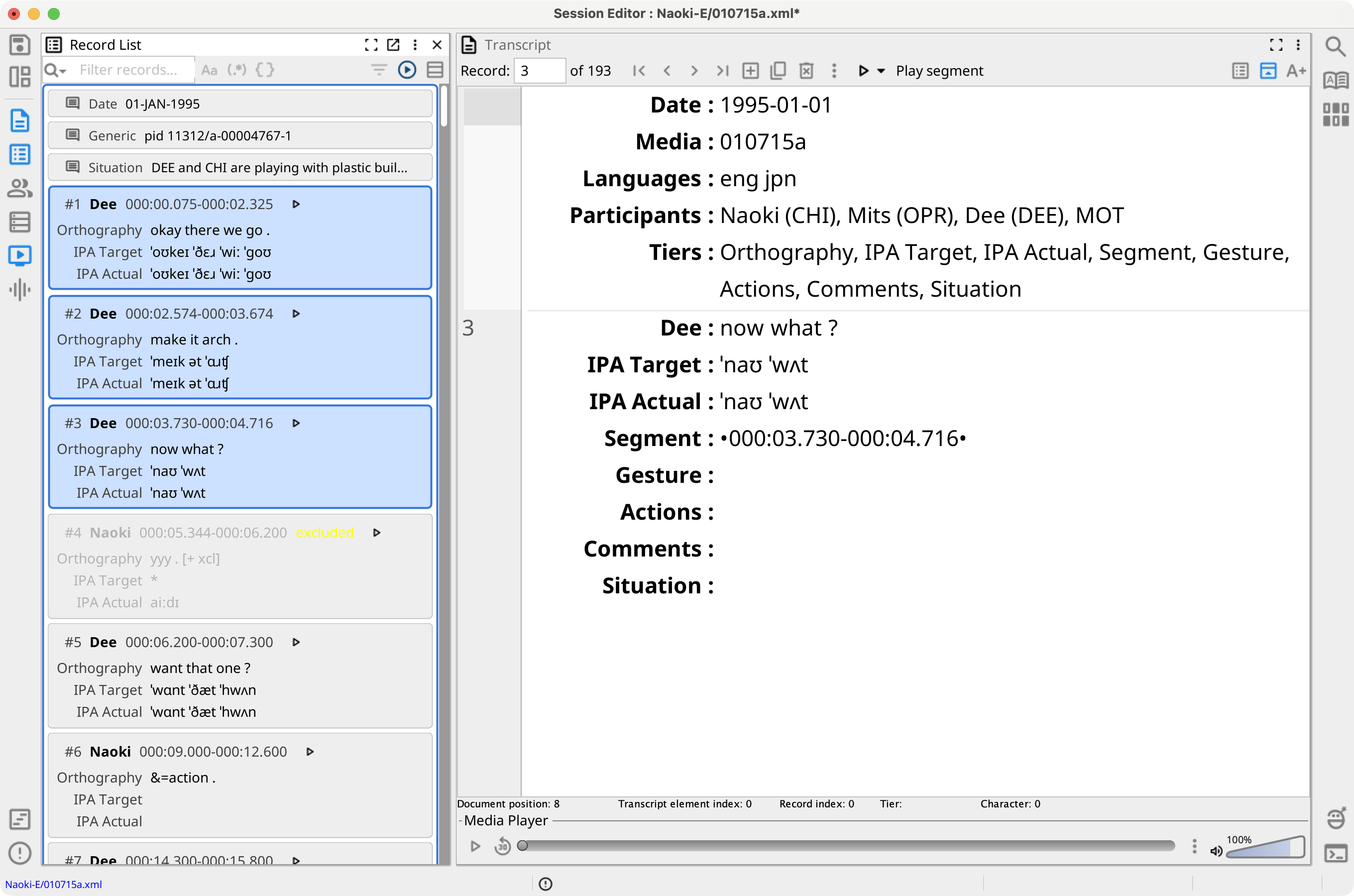
The Record List is a read-only overview of the records, comments, and gems in the current session. Each record card identifies the record number, speaker, media segment, and selected tier values. Select the Record List button in the left view strip or press Menu+2 to show the view.
Cards and Selection
Record cards initially display Orthography. Use Choose tiers in the toolbar, or Tiers in the view menu, to choose from the tiers currently visible in the session. The choices follow the order configured in Tier Management.
A record with a valid media segment shows the segment time and, when session media is available, a play button. Records excluded from searches are dimmed and marked excluded. Comment and gem cards remain interleaved with records in transcript order.
Selecting a record makes it the current Session Editor record. Standard Shift and platform multiple-selection gestures select ranges or separate cards. The view menu and record-card shortcut menu also provide these selection commands:
- Select all selects all visible record cards, but not comment or gem cards.
- Select none clears the selection.
- Select records for participant selects the visible records assigned to one participant. Alt+1 through Alt+9 select records for the first nine participants in session order.
- Select records from search results uses the results in the currently open Search view.
- Select records from query results selects records from an open query result set. Excluded results and records hidden by the Record List filter are not selected.
Filter the List
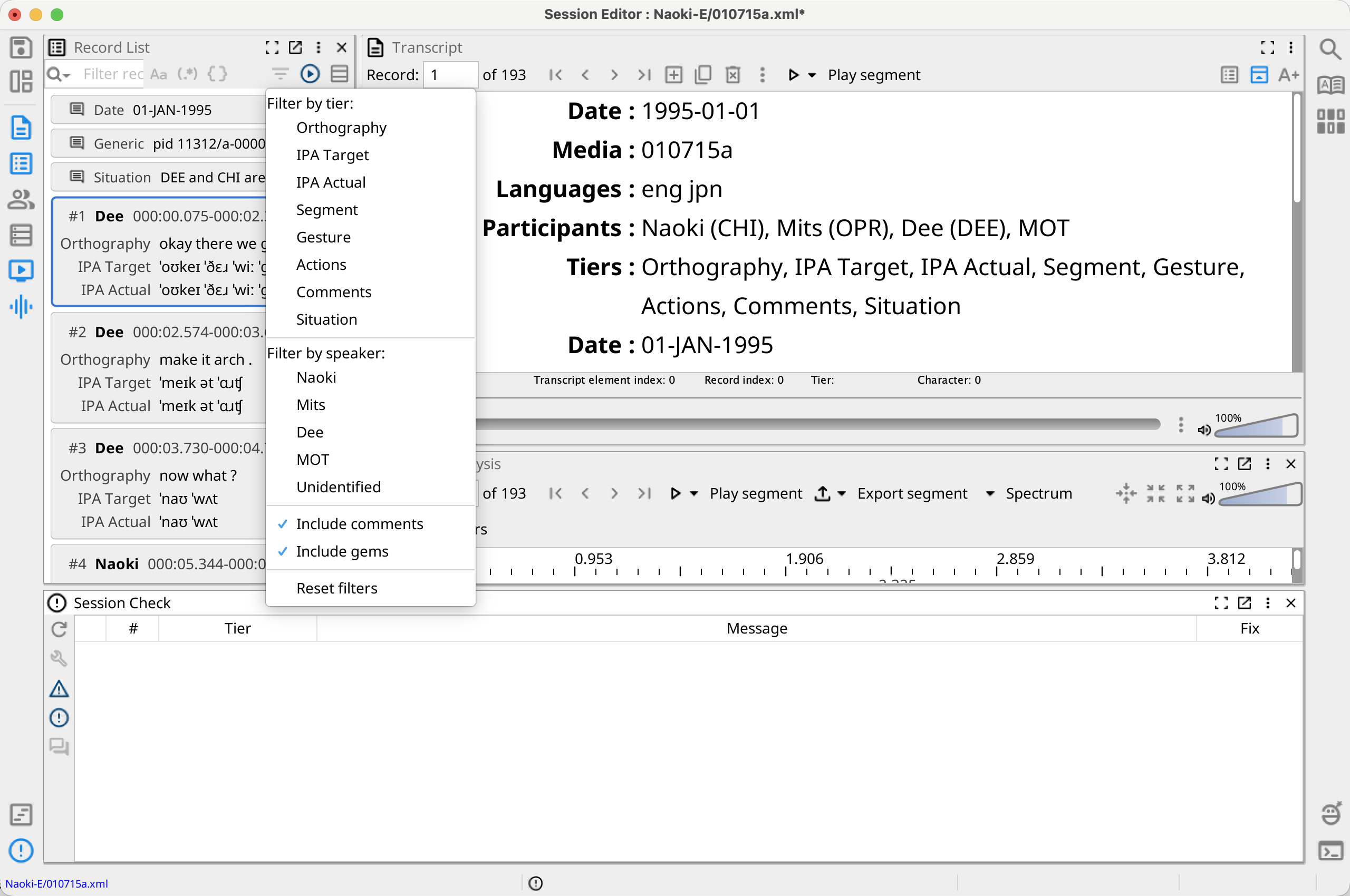
Enter text in Filter records. The list updates as you type, reports the number of matches, and highlights matching text. Use the adjacent buttons to match case, use a regular expression, or use a Phonex expression. Regular-expression and Phonex modes cannot be active together. Press Enter to add a nonempty expression to the shared search history; open the field's menu to restore a previous expression and its search mode.
Open Filter search results to refine the list:
- Filter by tier limits a text expression to selected visible tiers. With no tier selected, Phon searches all visible tiers.
- Filter by speaker limits records to selected participants or Unknown. With no speaker selected, all speakers are included.
- Include comments and Include gems control whether those transcript elements can appear. Both are selected by default.
- Reset filters restores all speakers, all visible tiers, comments, and gems.
Filtering does not change the current record or selection. If no card matches, the view displays No matching records.
Play Record Segments
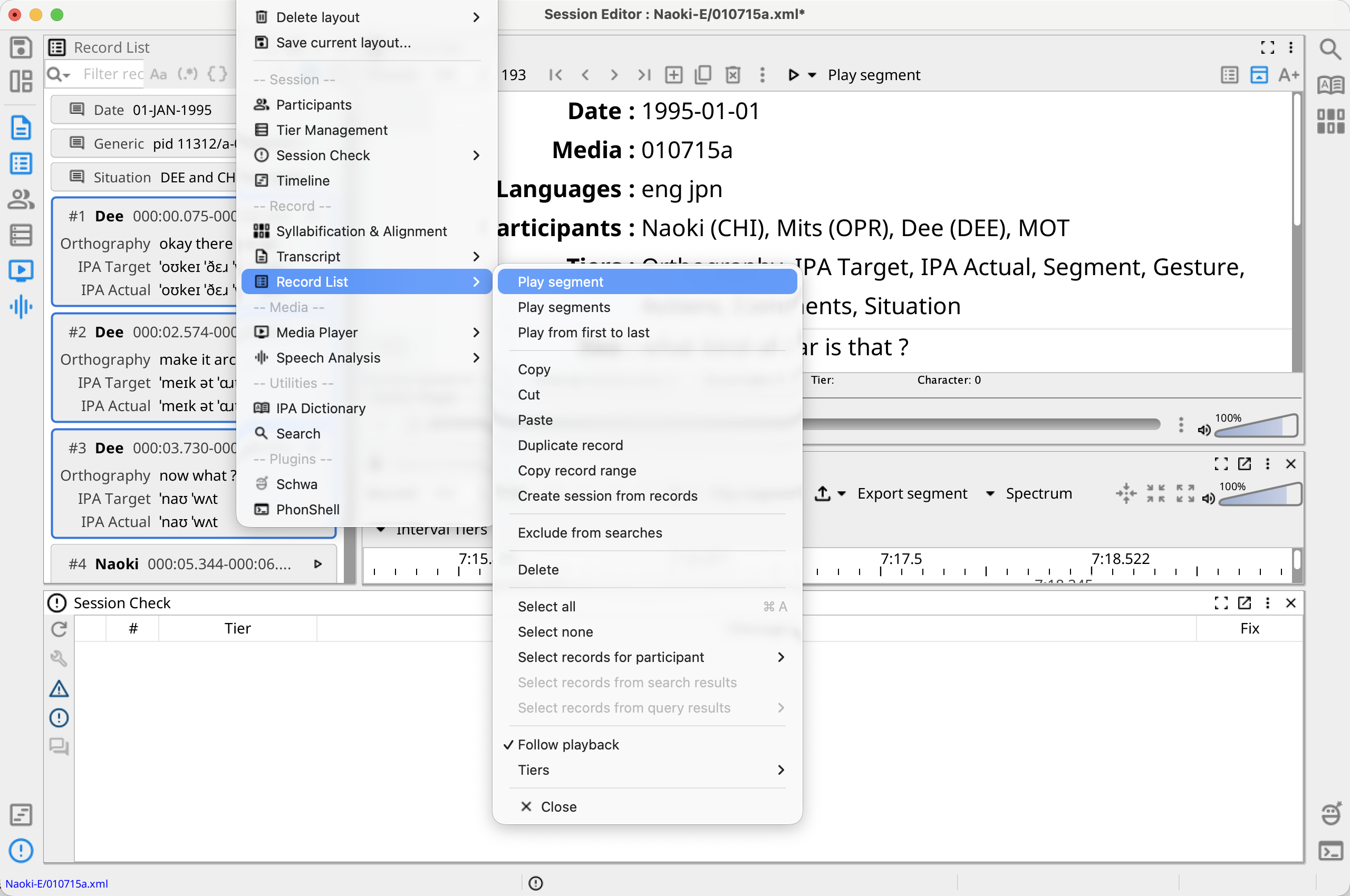
The record-card play button plays or stops that record's segment. The view menu and record-card shortcut menu provide three commands:
- Play segment plays the first selected record.
- Play segments plays each selected record segment in transcript order. If no cards are selected, it plays all visible record segments. Records without valid segments are skipped. Press Escape to stop the sequence.
- Play from first to last plays one continuous interval from the earliest selected or visible segment start to the latest end, including any gaps between records.
Follow playback is selected by default. During playback, the active record has a green inner outline and the list scrolls to keep it visible. Manually scrolling suspends following until playback restarts or you turn Follow playback off and on.
Work with Selected Records
Right-click a record card or open the view menu to use the following commands. A right-click on an unselected record selects it first; right-clicking within an existing multiple selection preserves that selection.
- Copy, Cut, Paste, Duplicate record, and Delete use the standard record-editing operations. Delete asks for confirmation; Cut removes the copied records immediately.
- Copy record range copies the selected one-based record
numbers as a compact range such as
1..3, 5, 8..10. - Exclude from searches toggles the exclusion state of each selected record. Excluded records remain in the session and Record List.
- Create session from records creates, saves, and opens a
new session in the same corpus. The new session contains the selected
transcript elements in document order. If nothing is selected, it contains all
visible records. Phon copies the session information, participants,
transcribers, tier configuration, and metadata, and assigns the first available
name such as
SessionName-1.
Keyboard Shortcuts
- Up and Down move to the previous or next visible card; Home and End move to the first or last visible card.
- Page Up and Page Down move by one visible page. Add Shift to the arrow or page keys to extend the selection. Navigation skips cards hidden by the active filter.
- Menu+C, Menu+X, and Menu+V copy, cut, or paste records. Delete and Backspace delete the selected records.
- Space plays the first selected segment, Menu+A selects all visible records, and Escape stops sequential playback.
Record List action shortcuts do not run while the filter field has focus.