
Tier Management
The Tier Management view controls the tiers shown in the Transcript. Select its button in the left view strip or press the platform menu shortcut plus 3.
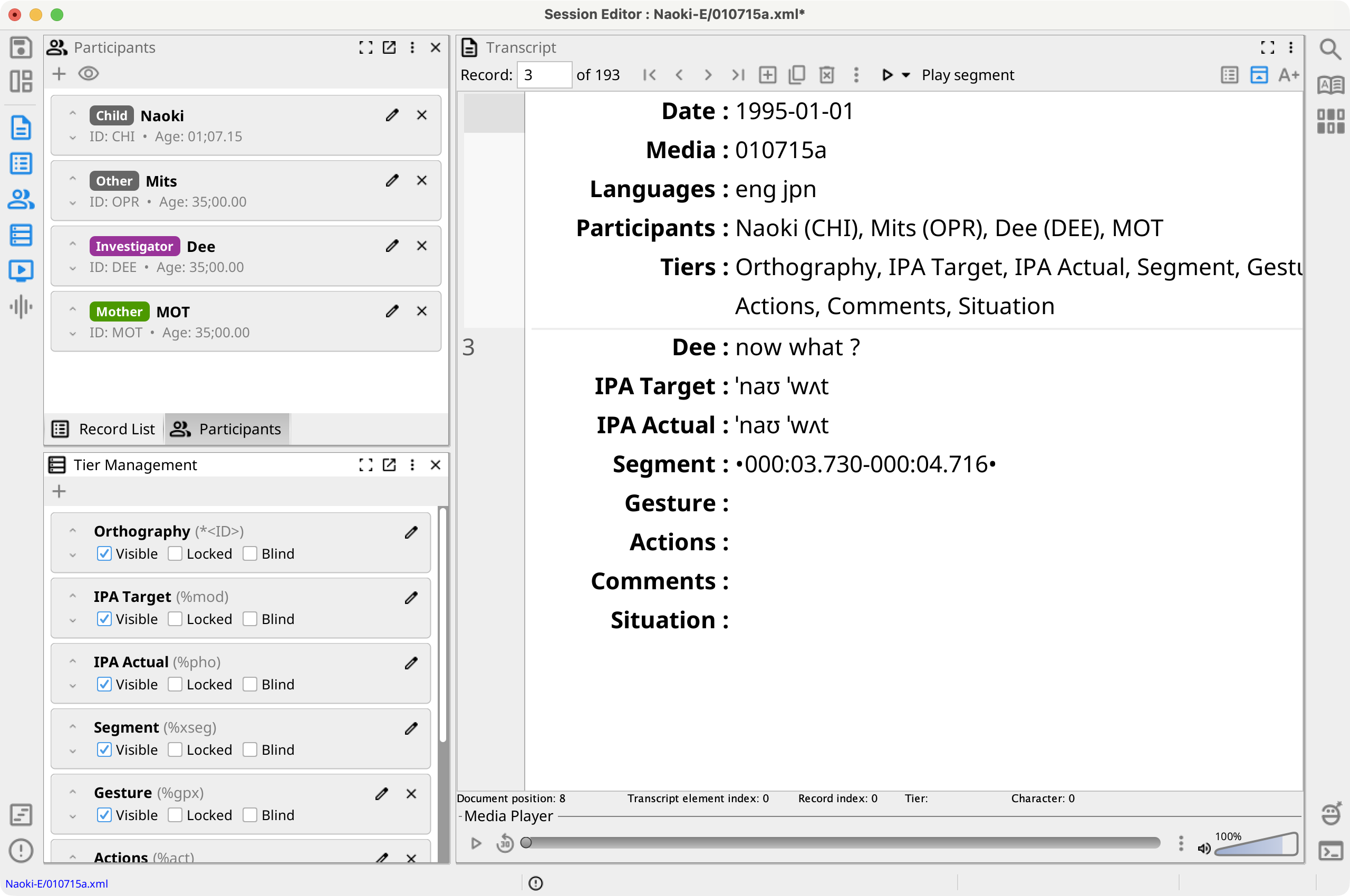
Each card shows a tier's Phon name and, when different, its CHAT name. The card also provides the settings that can be changed directly for that tier.
Tier Card Options
- Visible — Show or hide the tier in the Transcript. Hiding a tier does not delete its data.
- Locked — Prevent changes to the tier in the Transcript.
- Blind — Include the tier in blind transcription. When adding a tier to blind transcription, Phon can copy its current values to a selected transcriber. Removing it requires confirmation. See Blind Transcription.
- Aligned — Include a custom user-defined tier in cross-tier alignment. This direct toggle is shown only where the tier type allows the setting.
- Edit — Edit the tier's name, type, locked, visible, blind, aligned, and font settings. Names and types of built-in system and CHAT tiers cannot be changed.
Drag a card to change the tier order, or use its up and down arrow buttons. This is the tier display order in the Transcript.
Add a Tier
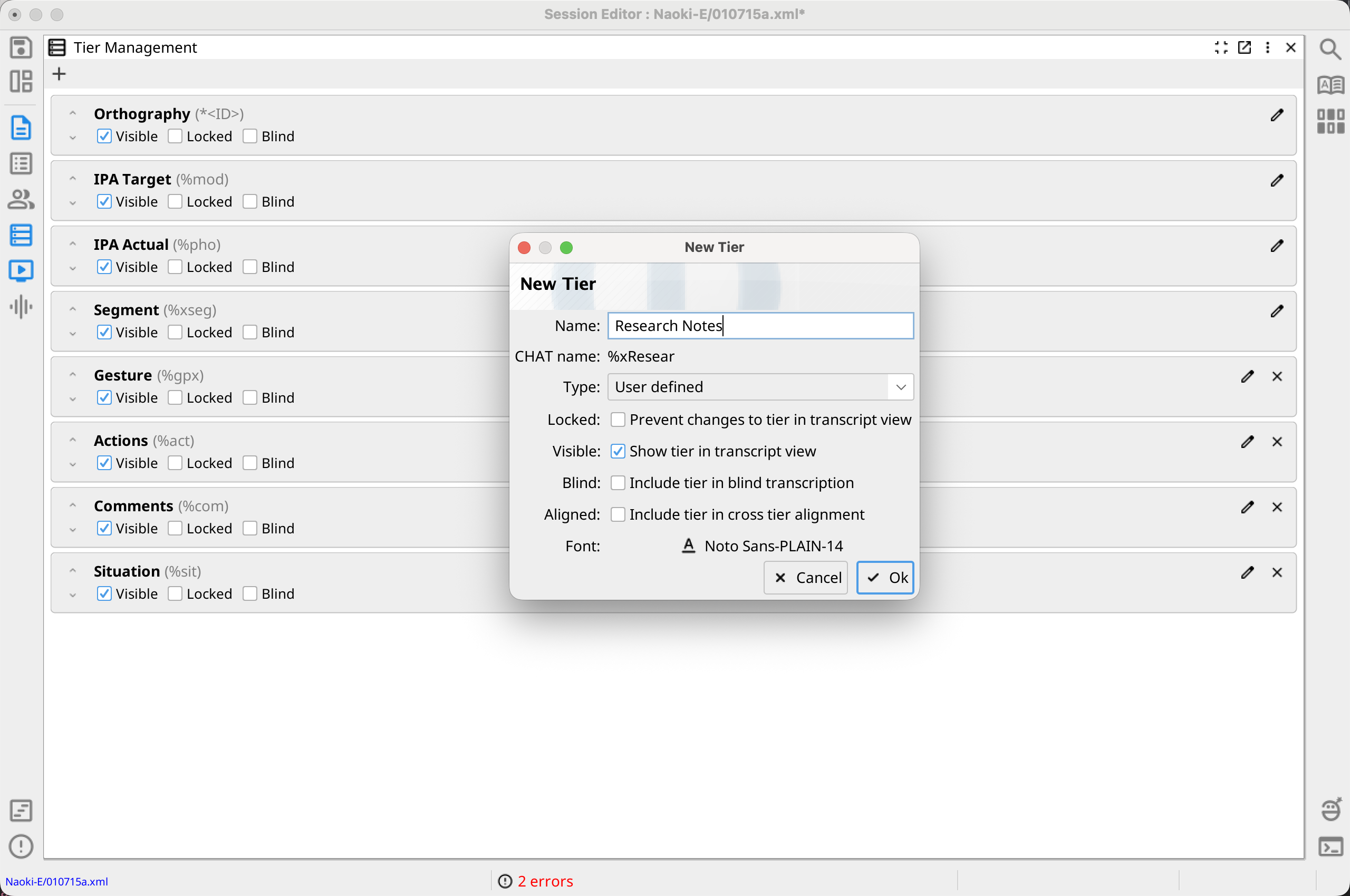
Select Add tier, then choose an available standard CHAT tier or the custom-tier command. A standard tier that already exists in the session is disabled in the menu.
For a custom tier, enter a unique name and select its data type: User defined, CHAT, IPA, Morphology, or GRASP. Phon shows the CHAT name derived from the tier name. You can also set the font, visibility, locking, blind-transcription, and cross-tier-alignment behavior.
Tier Context Menu
Open a tier card's context menu to move, lock, hide, edit, or duplicate the tier. For a blind tier, the menu can copy current tier values to a selected blind transcriber. Custom tiers can also be included in or excluded from cross-tier alignment.
Only removable user-created tiers provide Delete. System and standard CHAT tiers cannot be deleted, and locked tiers must be unlocked first. Some tier-management commands are unavailable while editing as a blind transcriber.
The view menu also provides Lock all tiers or Unlock all tiers and Hide all tiers or Show all tiers.