
Speech Analysis
The Speech Analysis view displays the current record's audio range with waveform, acoustic-analysis, and interval-tier displays. Select its button in the left view strip or press the platform menu shortcut plus 5. It normally opens below the Transcript.
Speech Analysis requires session audio in WAV form. If only other session media is available, the view offers to generate session audio; if no media is assigned, it offers to assign a file.
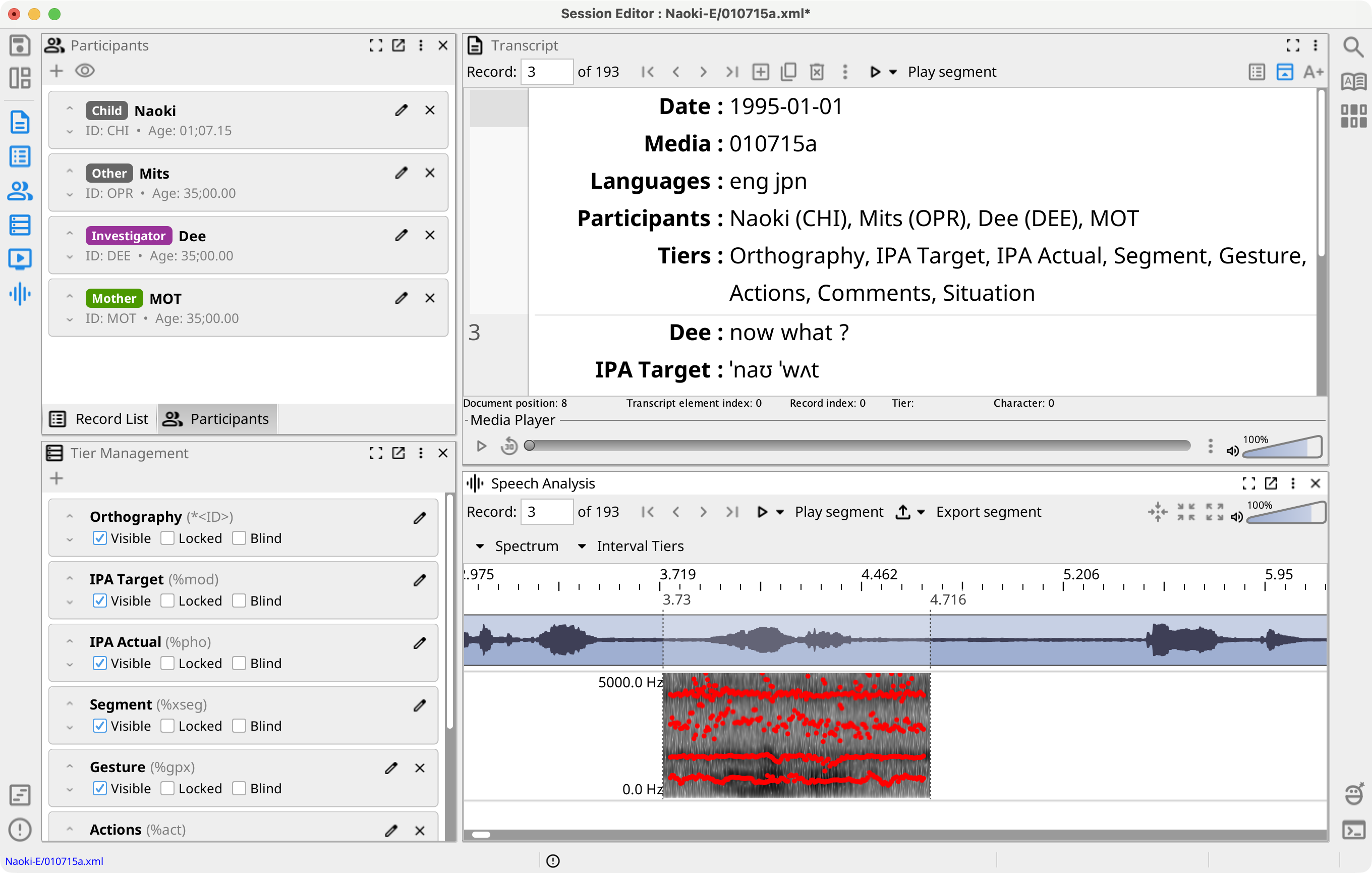
Toolbar and Time Display
The toolbar provides record navigation, Play, Export, Recenter, Zoom In, Zoom Out, and Volume. The Interval Tiers extension adds an Interval Tiers menu to the same toolbar.
The time ruler, waveform, spectrogram, and visible interval tiers share one time scale. Recenter returns the display to the current record's Segment; zoom changes the surrounding time shown.
Drag across a time tier to make a selection. Play and Export use the selection when one exists, and otherwise use the current record Segment. Press Space to play or stop, Enter to assign the selection to the current record, and Escape to stop playback or clear the selection.
Acoustic Analysis
Open the view menu or the time display's context menu to show or hide the spectrogram and its Formant, Pitch, and Intensity overlays. Separate settings dialogs control each analysis. See Spectrogram Settings, Formant Settings, Pitch Settings, and Intensity Settings.
The menu can list measurements for the selected range or current segment, including duration, formants, pitch, pulses, intensity, and spectral moments. Listing results open in application buffer windows.
The waveform menu can display mixed mono or separate stereo channels and adjust spike suppression.
Interval Tiers and TextGrid
Record interval tiers are stored in each record and move with its Segment. The menu can create Word Intervals and Phone Intervals tiers and show or hide record interval tiers.
Session interval tiers are stored on the session timeline independently of record boundaries. Their menus can show, hide, rename, remove, or import interval content into record user tiers where applicable.
Select Import from TextGrid... for the multi-step import workflow described in Import from TextGrid. Select Export TextGrid... to export selected record-data and session interval tiers for the current record or the entire session.