Schwa
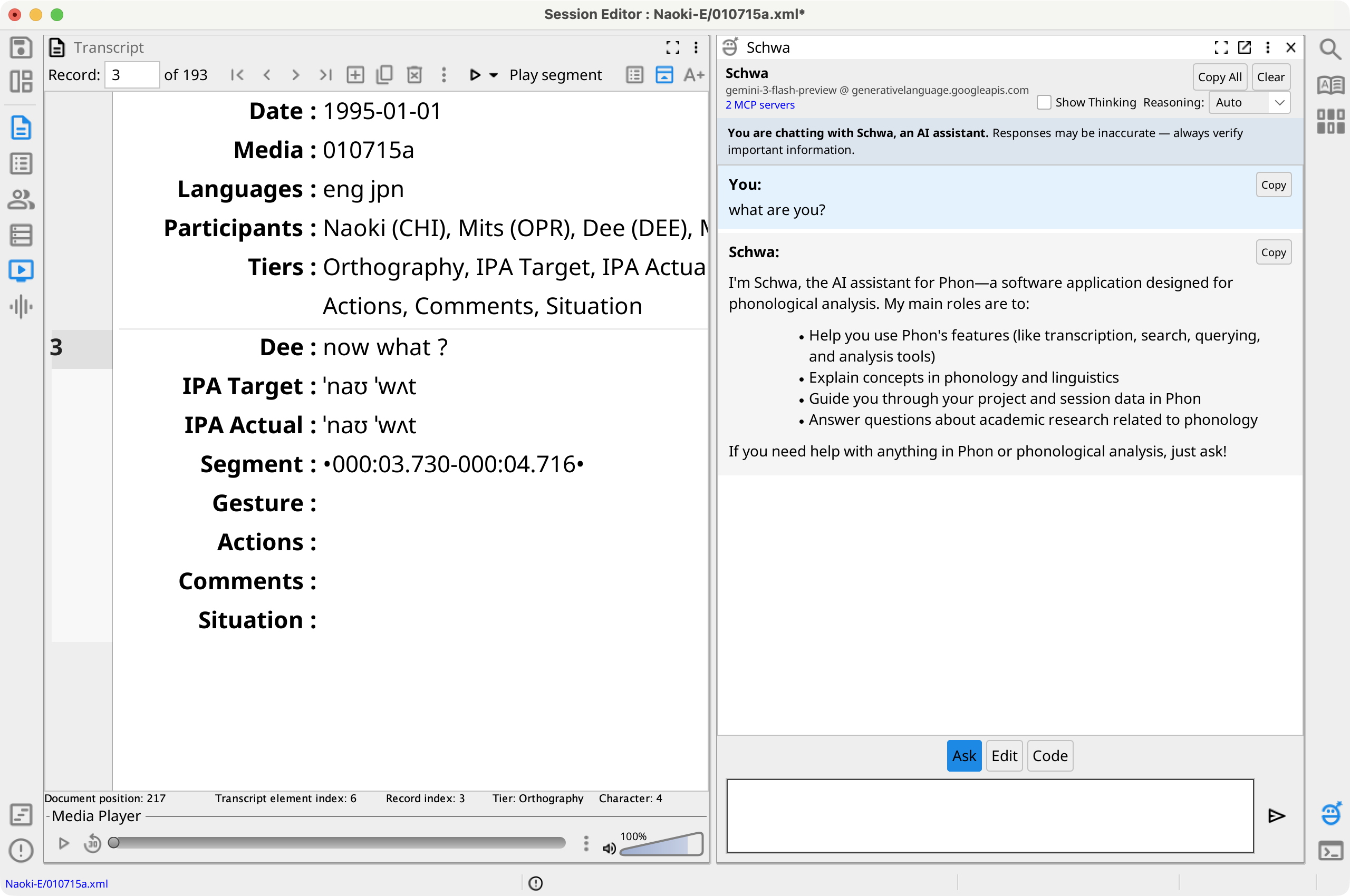
Schwa is an optional AI-assistant view supplied by the bundled AI plug-in. Configure at least one model on the Schwa Preferences tab, then show the view from a Session Editor view strip.
Choose a mode
- Ask
- Answers questions about Phon, the current session or project, and phonological concepts.
- Edit
- Uses application tools to make undoable changes to the current session. Review the result and use Undo when it is not correct.
- Code
- Generates scripts for the docked PhonShell. Review generated code before inserting or running it.
Enter sends a request; Shift+Enter inserts a newline. The send control changes to Stop while a response is being generated. Mode histories are separate and are saved with the editor state. Use to clear the current conversation.
Model, reasoning, and MCP tools
The header selects a configured model, copies or clears the conversation, optionally shows model reasoning, and changes supported reasoning effort. A permanent banner identifies Schwa as an AI assistant and reminds you to verify its output.
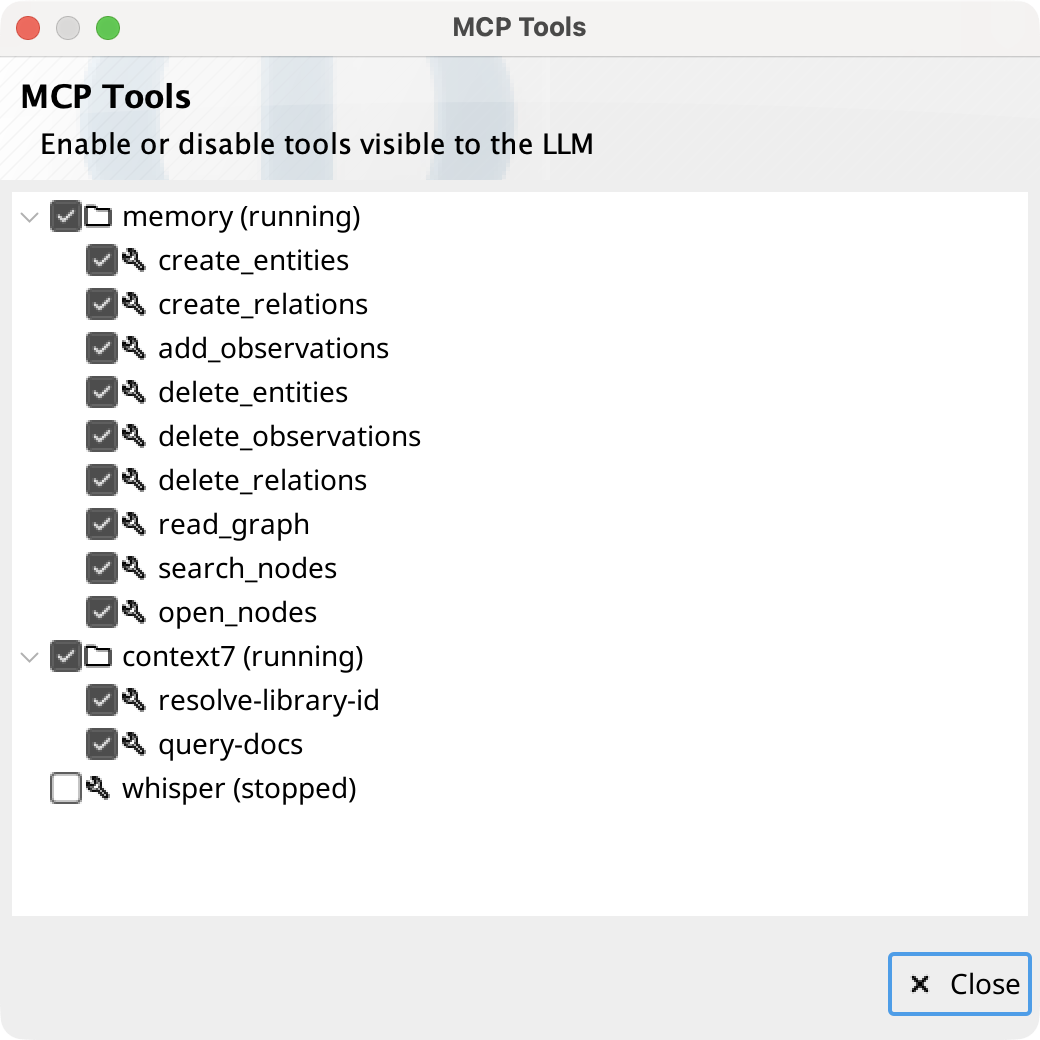
The Schwa menu can reload Model Context Protocol (MCP) servers. MCP Tools... shows each server's running state and immediately saves which discovered tools the model may use. Edit MCP configuration... edits the user-data mcp.json file; validate the JSON before saving, then reload the servers.
The MCP Server submenu starts or stops Phon's embedded MCP server and opens connection instructions for external AI clients. See MCP Server.