
Syllabification & Alignment
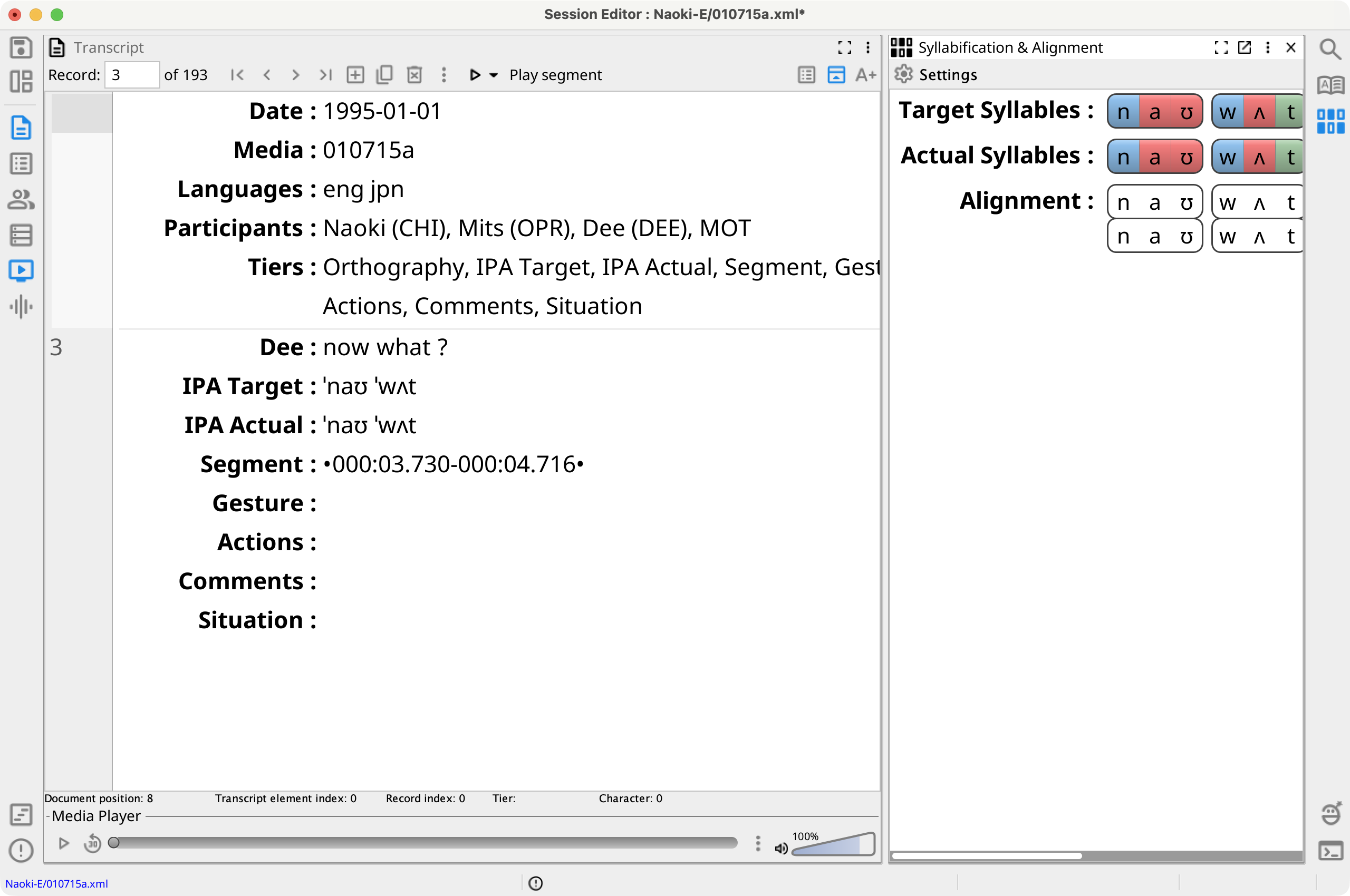
The Syllabification & Alignment view displays the current record's Target Syllables, Actual Syllables, and phone Alignment. Select its button in the right view strip or press the platform menu shortcut plus 0.
Phon calculates syllabification and alignment automatically, but these analyses should be reviewed when a query or report depends on them.
Display and Syllabifier Settings
Select Settings to show or hide Target Syllables, Actual Syllables, and Alignment. These display choices are saved with the editor layout.
Select Syllabifier Settings to choose separate syllabifiers for IPA Target and IPA Actual in this session. The available list comes from the syllabifiers installed in the current application.
The same menu can Syllabify IPA Target, Syllabify IPA Actual, or Reset alignment for the current record. Select a syllabification tier's label for its reset command and to change the syllabifier used by that IPA tier. Select the Alignment label to reset its phone alignment.
Review and Edit Syllabification
Each phone is colored by syllable constituent: Left Appendix, Onset, Nucleus, Coda, Right Appendix, OEHS, Ambisyllabic, or Unknown.
- Select a phone in Target Syllables or Actual Syllables.
- Open its context menu and choose the correct constituent, or press its underlined letter: L, O, N, C, R, E, A, or U.
- Use Left Arrow and Right Arrow to select adjacent phones. Backspace marks the current phone Unknown and moves to the previous phone; Delete marks it Unknown.
For adjacent nuclei, choose Toggle Hiatus from the phone's context menu or press H to switch between a vowel sequence within one nucleus and a hiatus across nuclei.
Review and Edit Phone Alignment
Alignment places IPA Target phones above their corresponding IPA Actual phones. Select a position with Left Arrow or Right Arrow. Hold Alt and press Up Arrow or Down Arrow to choose the Target or Actual side; then press Alt+Left Arrow or Alt+Right Arrow to move that phone in the alignment.
You can also drag a Target or Actual phone horizontally. The pointer's vertical position determines which side moves. Use Reset alignment to recalculate the current record from its IPA Target and IPA Actual tiers.