
Find and Replace in the Transcript
Find and Replace is an inline panel at the top of the Transcript, not a separate editor view. Press Menu+F for Find or Menu+R for Find and Replace. Press Escape or select Close to dismiss the panel and clear its result highlights.
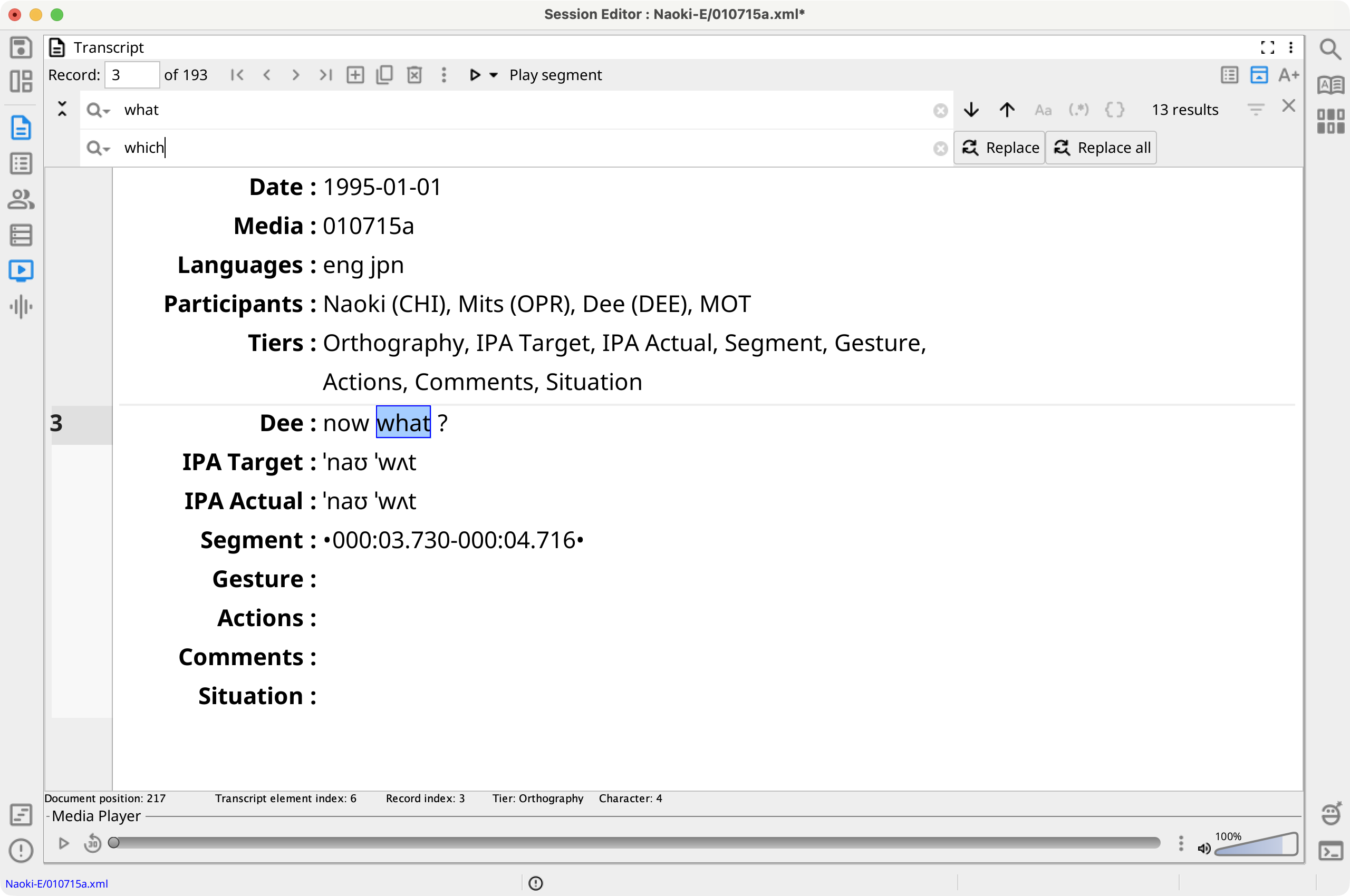
Find and Replace
Type in the search field to update matches immediately. The panel reports the result count and highlights all matches in the Transcript. Use the arrow buttons, Menu+G, or Menu+Shift+G to move to the next or previous match.
Expand the replacement row, enter replacement text, then select Replace to replace the current match and continue or Replace all to replace every eligible result. Header-tier matches are find-only.
Press Enter in the search field to add the query and its mode to the search history.
Search Modes and Filters
Plain text is the default. Toggle Match case, Regular expression search, or Phonex search as needed. Regular expression and Phonex modes are mutually exclusive.
By default, searches cover visible record tiers for all speakers and include comments and gems. The Filter menu can restrict visible tiers or speakers, exclude comments or gems, and include visible session-header tiers. Select Reset filters to restore the defaults.