Export TextGrid
The Export TextGrid wizard writes selected record and session tiers from the open session to a Praat .TextGrid file. In Speech Analysis, open the Interval Tiers menu and select Export TextGrid....
The wizard contains Export Range, Tiers, and Export pages.
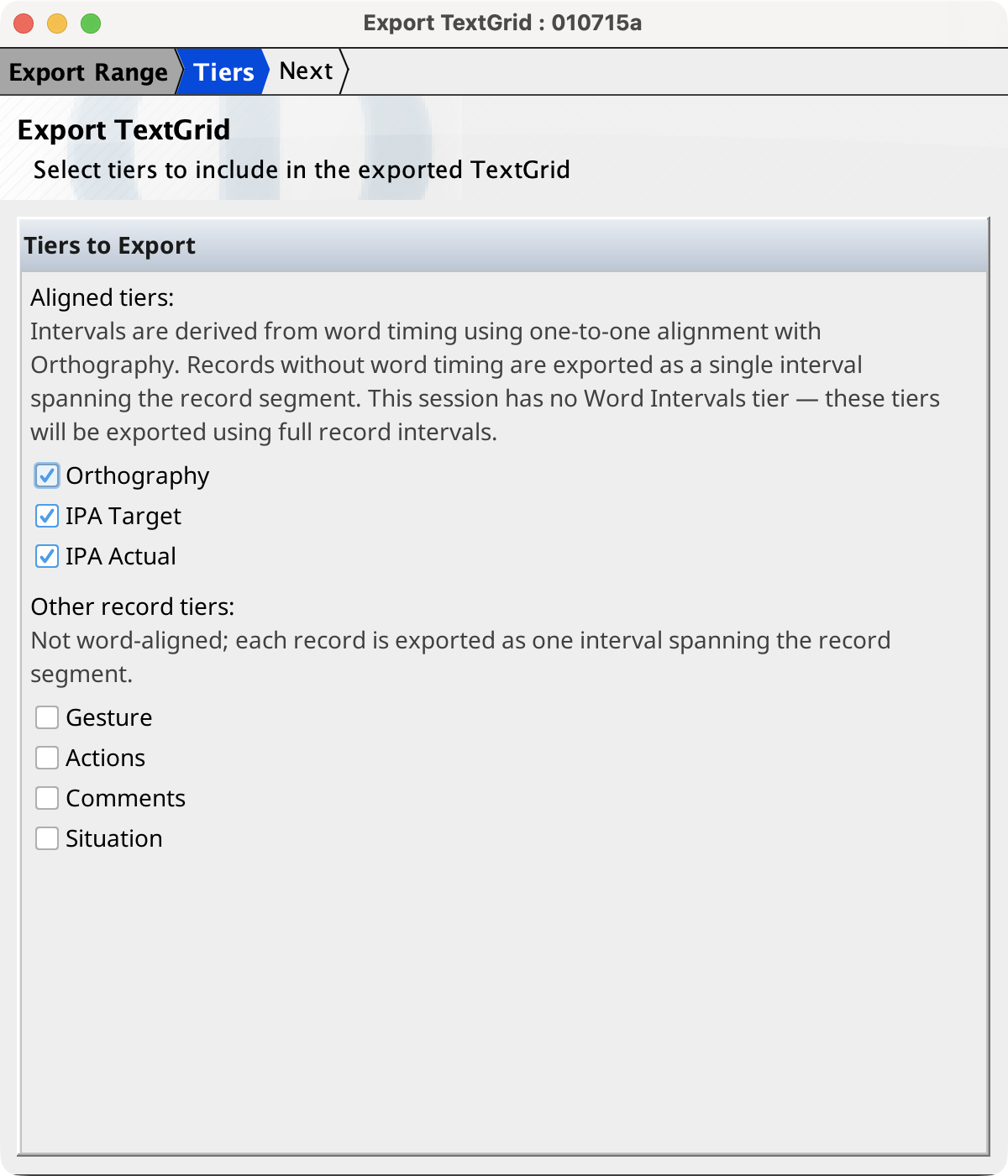
Select the export range
On the Export Range page, select one of these ranges:
- Entire session
- Exports from zero through the complete session duration. This is the default. The end time is the latest of the loaded audio duration, session timeline, session-tier intervals, and record media segments.
- Time range
- Exports only data between Start (s) and End (s). The initial values are zero and the complete session duration. The start must be non-negative and less than the end.
- Record range
- Exports from the selected start record's segment start through the selected end record's segment end. The initial range includes all records. Padding (s), initially zero, extends both boundaries without extending before zero or beyond the complete session duration.
Intervals that extend across a selected time or record-range boundary are clipped to that boundary.
Select tiers and timing sources
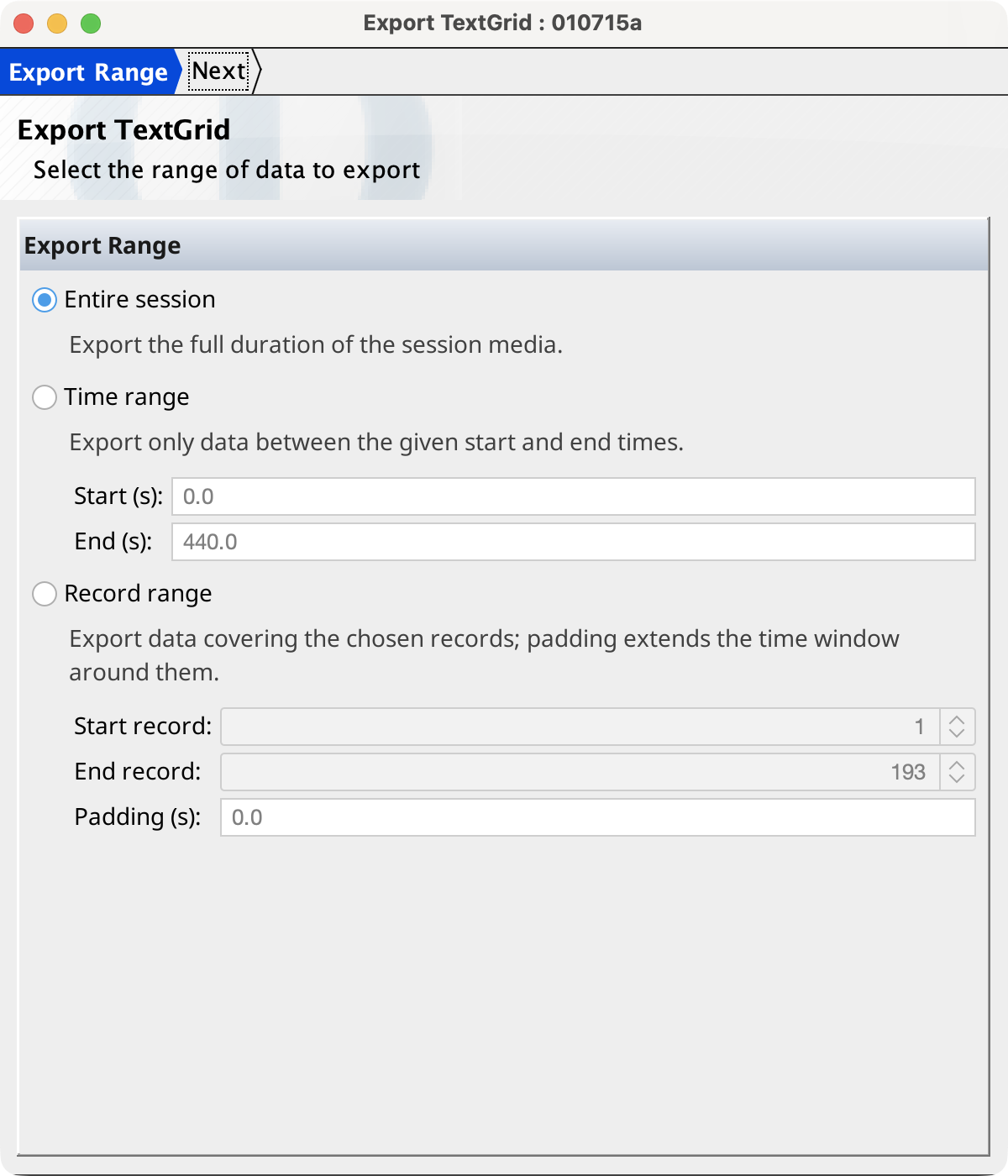
The Tiers page groups available tiers by the source of their exported timing. Empty groups are omitted.
| Group | Export behavior | Default |
|---|---|---|
| Interval tiers | Uses timing stored in the tier. This group includes Word Intervals, Phone Intervals, and other registered record interval tiers present in the session. | Selected |
| Aligned tiers | Uses each record's cross-tier alignment with Orthography and the corresponding Word intervals timing. Orthography, IPA Target, IPA Actual, and alignable user tiers appear here. | Selected |
| Other record tiers | Exports the tier's complete text as one interval spanning each record's media segment. Internal interval markers are omitted from the label. | Not selected |
| Session interval tiers | Uses interval or point timing stored on the session timeline. | Selected |
For an aligned tier, each tier element aligned with a timed Orthography word becomes a TextGrid interval with that word's timing. Words without timing do not produce an interval. If a record has no usable Word intervals, or its tier cannot be aligned, Phon instead exports the record's complete tier text over its media segment. The wizard identifies sessions that have no Word Intervals tier in the aligned-group description.
Record tiers use the transcriber active in the Session Editor. A record contributes no fallback interval when the tier is empty or the record has no usable media segment.
Select at least one tier before continuing. TextGrid tiers are ordered by the groups shown above: interval tiers, aligned and other record tiers, then session interval tiers.
How TextGrid tiers are written
Phon clips every selected tier to the export range. It adds empty-label intervals between annotations so each Praat interval tier covers the complete range. Overlapping intervals are made non-overlapping: a partial overlap truncates the earlier interval, while a contained shorter interval is omitted.
A source containing only intervals becomes a Praat interval tier, and a source
containing only points becomes a Praat point tier. If one source contains both, the
TextGrid contains separate tiers named <tier name>
(intervals) and <tier name> (points). A selected
tier with no data in the export range does not add an empty tier.
Save and export
Select Next on the Tiers page and choose the output file. Phon initially opens the session-media folder when one is available and proposes a filename based on the range:
<session>.TextGridfor the entire session<session>_<start>-<end>.TextGridfor a time range<session>_records<start>-<end>.TextGridfor a record range
Phon adds the .TextGrid extension when necessary. Cancelling the save dialog leaves the wizard on the Tiers page.
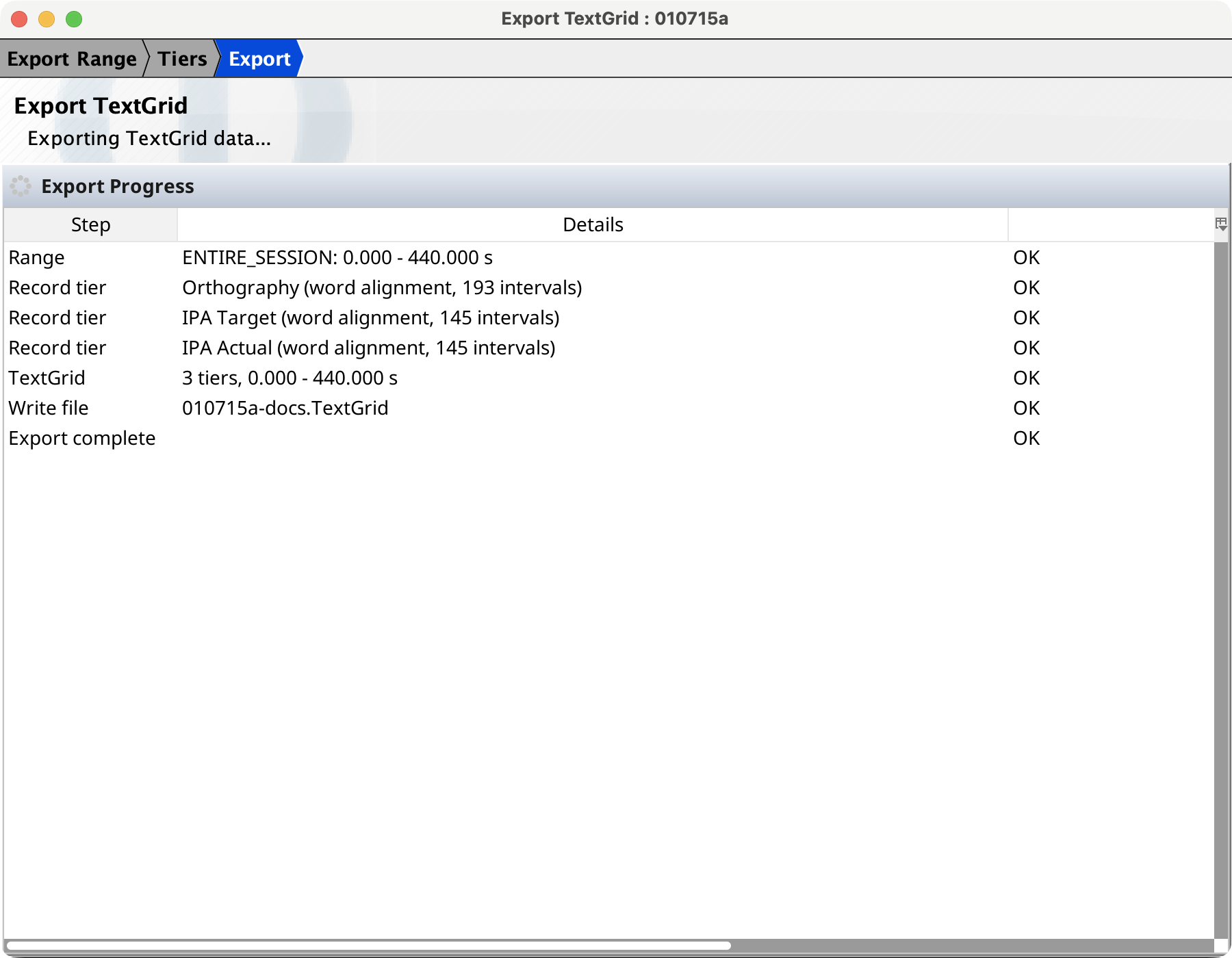
After a destination is selected, the Export page writes the file in the background. Its progress table reports the selected range, the timing method and interval count for each tier group, the number of TextGrid tiers, and the file-write status. A completion message reports the actual number of tiers written; an error message includes the export failure.